









출고예상일 안내
주문하신 상품이 한국에서 현지 배송을 위한 출고단계가 이루어질 것으로 예상되는 날짜입니다. 상품을 준비하는 과정에서 내부적인 사정으로 인해 출고예상일에 다소 오차가 생길 수 있습니다.
여러 상품(예약상품포함)을 함께 주문하신 경우 출고예상일이 가장 늦은 날짜에 맞춰 함께 배송됩니다.


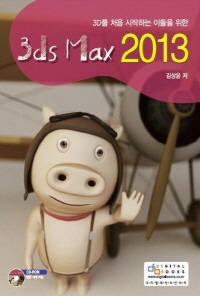





ISBN : 9788960881075 / 840쪽 188 x 254 (㎜)
이 상품에 궁금하신점이 있으세요? 1:1상담문의



아래의 도서와 구매하시면 이 도서들의 적립금을 즉시적용해 드립니다.
-
천근아, 박정훈, 장지흠, 진재연, 이정한, 민윤기
-
권석만
-
구오제드, 송이핑, 조신
-
마창석
- 22,500
- 26,100
- 26,100
- 22,500



출판사 리뷰
출판사 서평 3D를 처음 시작하는 이들을 위한 입문서! 메뉴 설명과 예제의 적절한 조화로, 사용자 스스로 터득하고 응용할 수 있도록 매뉴얼과 예제들을 심도있게 구성하였다. 특히, 가장 기초가 되는 모델링부터 시작해 중급 모델링에 이르기까지 다양하고 쉬운 예제들을 수록함으로써 초급자가 어렵지 않게 실력을 쌓을 수 있도록 한 스텝 한 스텝 심혈을 기울여 집필된 도서이다.

-
- 저자 : 김상윤

목차
Chapter 01 3DS Max 기초
Lesson 01 3DS Max의 소개
Section 01 3DS Max의 배경
Section 02 3DS Max의 등장
Section 03 막강해지는 3DS Max
Section 04 초 절정의 위치 3DS Max
Lesson 02 3DS Max 2013 개요 및 특징
Section 01 3DS Max 2013 개요
Section 02 3DS Max 2013과 3DS Max Design 2013 특징
Section 03 3DS Max 2012와 3DS Max Design 2012의 새로운 기능 짚고 넘어가기
Section 04 3DS Max 2013과 3DS Max Design 2013의 새로운 기능
Section 05 3DS Max 2013 설치를 위한 시스템 요구사항
Lesson 03 3DS Max 2013 설치 및 실행
Section 01 3DS Max 2013 30일 Trial 버전 다운로드 하기
Section 02 3DS Max 2013 설치 및 실행하기
Lesson 04 3DS Max 2013 Update 3
Section 01 3DS Max 2013 Update 3 다운로드 방법
Section 02 3DS Max 2013 Update 3 설치방법
Chapter 02 3DS Max 2013의 이해
Lesson 01 3DS Max 2013의 화면구성 알아보기
Section 01 3DS Max 2013 UI 설정하기
Section 02 Viewport의 이해와 다루기
Section 03 Main Toolbar 설정하기
Section 04 Viewport를 다루기 위한 단축키
Section 05 Viewport 사이즈 조정 및 View Type
Section 06 Viewport의 다양한 Visual Style & Appearance Panel
Section 07 3DS Max Unit 설정
Section 08 Quad Menu
Lesson 02 오브젝트 다루기
Section 01 Transform Gizmo(Move, Rotate, Scale)
Section 02 오브젝트 선택하기
Section 03 Clone으로 오브젝트 복사하기
Section 04 shift 키로 오브젝트 복사하기( shift + MOVE, ROTATE, SCALE)
Section 05 Array로 한꺼번에 복사하기
Section 06 Mirror로 대칭 복사하기
Section 07 Snap 활용하기
Lesson 03 Group 살펴보기
Section 01 Group으로 오브젝트를 하나로 묶고 Ungroup으로 풀기
Section 02 Open과 Close
Section 03 Attach / Detach로 오브젝트 추가하고 분리하기
Section 04 Explode로 Group 해체하기
Lesson 04 오브젝트 숨기고 얼리기
Section 01 Hide
Section 02 Freeze
Lesson 05 Spline에 두께 주는 Modifier
Section 01 Spline에 면을 돌출 시키는 Extrude
Section 02 Spline에 경사면을 주는 Bevel
Section 03 Spline에 양방향으로 두께 주는 Shell
Lesson 06 2D Spline 수정하기
Section 01 Editable(Edit) Spline
Section 02 Editable(Edit) Spline의 Selection Level
Section 03 Editable(Edit) Spline의 기본 옵션들
Section 04 Editable(Edit) Spline의 Selection Level에 따른 주요 옵션들
Lesson 07 3D Object 수정하기
Section 01 Editable Poly 변환 방법
Section 02 Editable Poly의 Sub-Object Level
Section 03 Editable Poly의 Selection 롤아웃
Section 04 Editable(Edit) Poly의 Object Level(Sub-Object Level이 선택되지 않았을 경우)
Section 05 Editable Poly의 Vertex Sub-Object Level
Section 06 Editable Poly의 Edge Sub-Object Level
Section 07 Editable Poly의 Border Sub-Object Level
Section 08 Editable Poly의 Polygon / Element Sub-Object Level
Lesson 08 3D Graphite Modeling Tools 다루기
Section 01 The Ribbon Interface
Section 02 Graphite Modeling Tools Tab 살펴보기
Section 03 Freeform Tab 살펴보기
Section 04 Selection Tab 살펴보기
Section 05 Object Paint Tab 살펴보기
Chapter 03 기본 실력 다지기
Lesson 01 Spline 활용하기Ⅰ
Section 01 도마뱀 만들기
Section 02 흑조(Black Swan) 만들기
Lesson 02 Spline 활용하기Ⅱ
Section 01 흔들 목마(Rocking Horse) 만들기
Section 02 스윙 시계(Swing Clock) 만들기
Chapter 04 재질(Materials)
Lesson 01 Material Editor(재질 편집기)
Section 01 Compact Material Editor 살펴보기
Section 02 Material Editor의 Sample Slot
Section 03 Material Editor의 Toolbar
Section 04 Shader Parameters 롤아웃
Section 05 Basic Parameters 롤아웃
Section 06 Extended Parameters
Section 07 Maps 롤아웃
Section 08 예제를 통한 재질 표현 방법
Section 09 Slate Material Editor
Section 10 Active View의 재질 및 노드(Node)
Lesson 02 UVW Map 이해하기
Section 01 UVW Map 알아보기
Lesson 03 Unwrap UVW이해하기
Section 01 Unwrap UVW의 Sub-Object Level
Section 02 Selection Parameters 롤아웃
Section 03 Edit UVs 롤아웃
Section 04 Channel 롤아웃
Section 05 Peel 롤아웃
Section 06 Projection 롤아웃
Section 07 Wrap 롤아웃
Section 08 Configure 롤아웃
Lesson 04 Character Skin을 위한 클러스터 만들기
Section 01 CMan 캐릭터 모델링 준비
Section 02 이음새 설정
Section 03 Peel the Geometry
Chapter 05 Light & Camera
Lesson 01 Light의 이해
Section 01 빛과 조명
Section 02 조명의 특성과 설치
Lesson 02 Light의 종류 및 옵션
Section 01 Standard Light
Section 02 Light의 공통 Parameters
Section 03 Spot Light / Directional Light Parameters 롤아웃 > Light Cone
Section 04 Pho

